
IMPACT
Concept, Rapid Prototyping, Hi Fidelity Designs
Role
Senior Product Designer
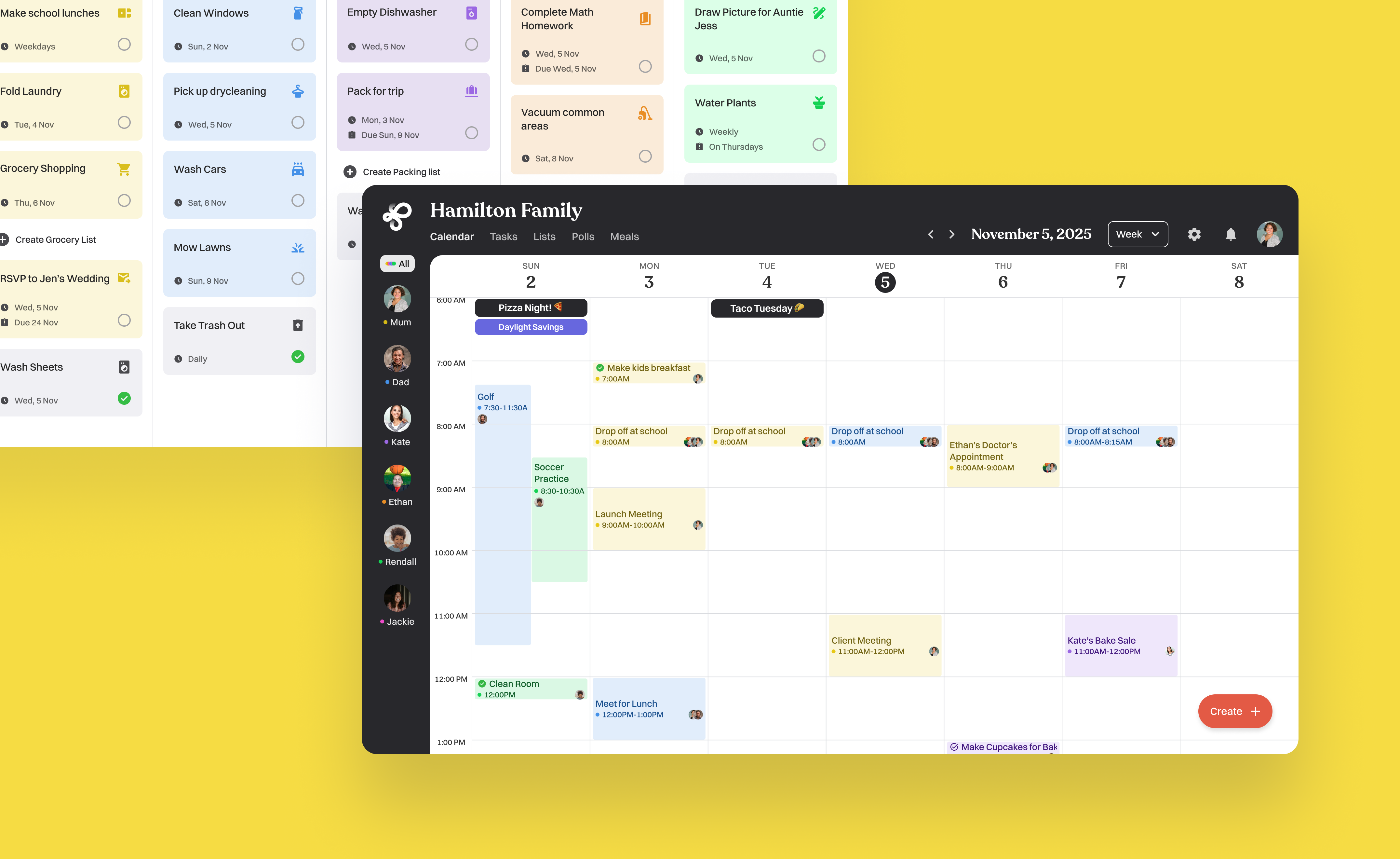
Modern families juggle overlapping schedules like parents managing work and household logistics, kids balancing school and activities, and relatives or babysitters supporting around the edges. Traditional calendar tools assume equal access and identical responsibilities. In reality, families need shared visibility but different levels of control.
Loop is designed to balance freedom, simplicity, and oversight, ensuring everyone stays connected without chaos.
Problem
Design a shared scheduling experience where multiple family roles interact seamlessly, each with the right permissions without overwhelming or excluding anyone?
Goal

Competitive Analysis
Cozi is a popular family organizer app for calendars, lists, and meals. Great adoption and cross platform support, but everyone has equal access. There is no real role based permissions or conflict resolution.
Skylight Calendar is a Smart display and app that keeps families coordinated in one visible home hub. It is a very engaging in home experience, but it's hardware centric and lacks flexible, role specific controls.
FamilyWall is a family hub with messaging, lists, and location sharing. Broad features but can feel cluttered, and permissions and scheduling logic remain generic.
Loop's Advantage
Loop has clear role based permissions (parent, kid, relative). It also has built in approvals and conflict resolution to prevent chaos. It has a lightweight, device agnostic design for everyday use without extra hardware. The goal is a simpler, more trust focused experience rather than feature overload.
Defining User Roles & Permissions
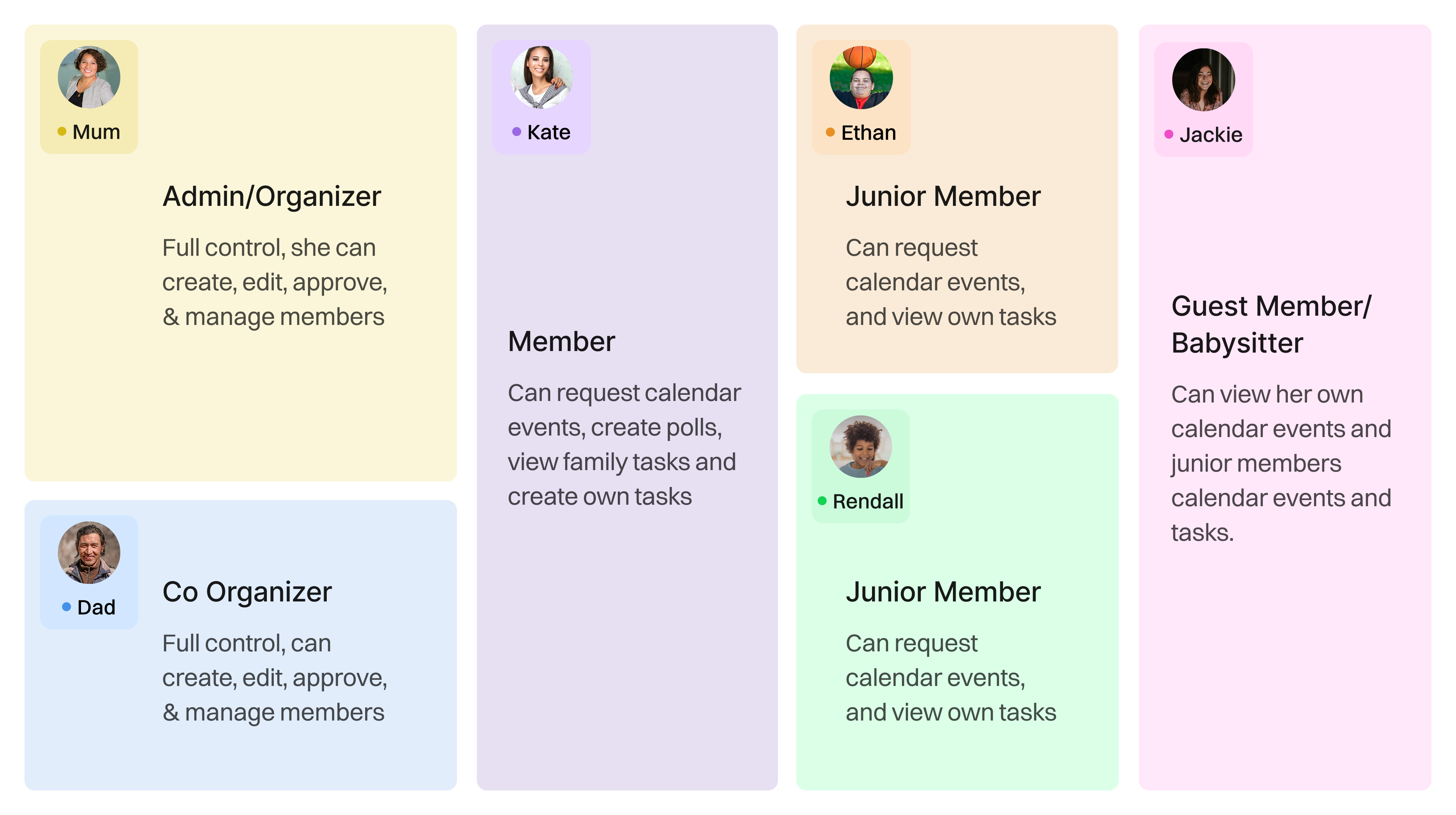
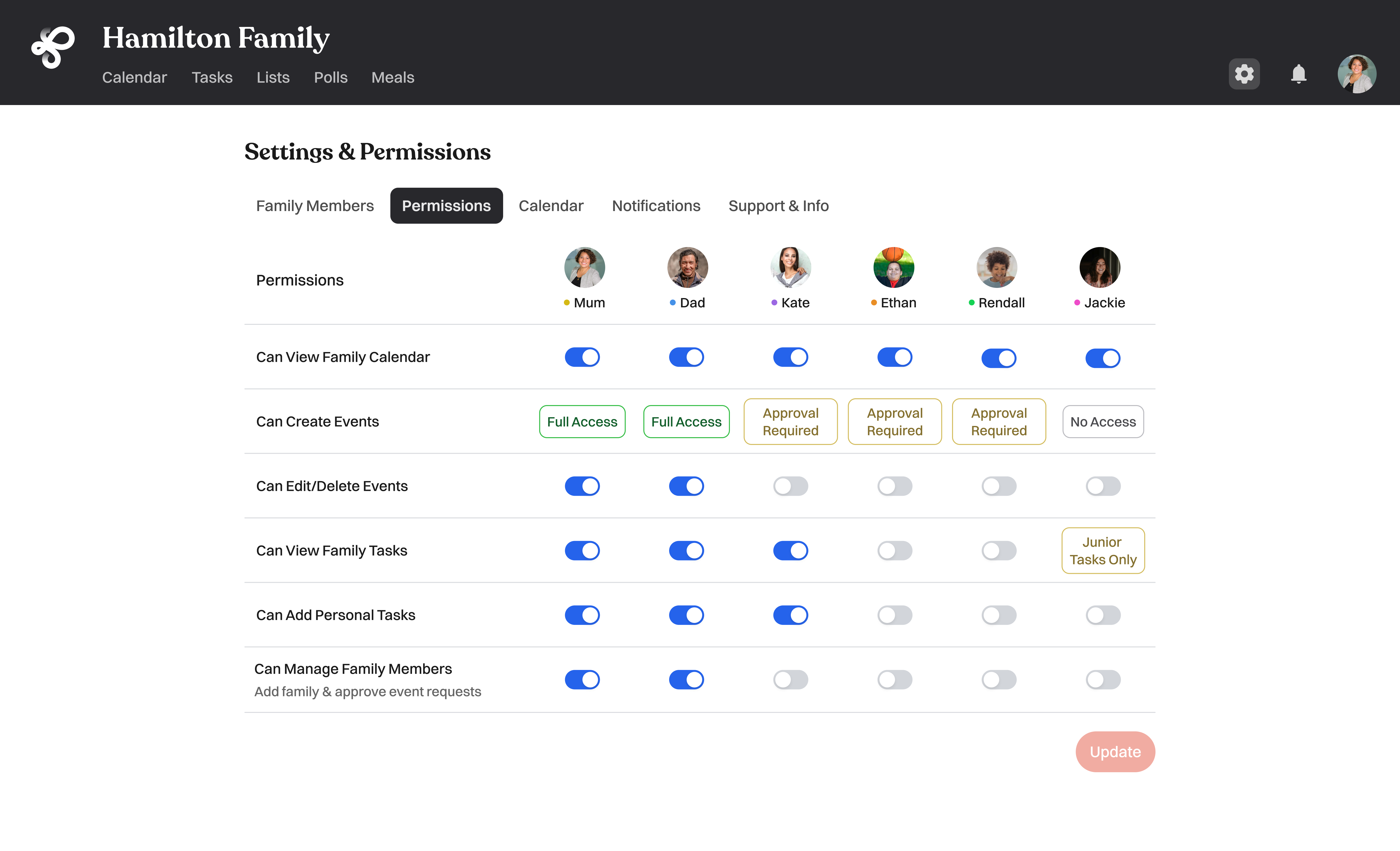
In Loop, each role is designed with empathy for how different family members think and interact. Parents need clarity and control to keep the household running smoothly, so they can create, edit, approve, and resolve conflicts across all events.
Kids crave inclusion and a sense of ownership, so they can suggest or add limited events that require approval which gives them autonomy within safe boundaries.
Relatives and babysitters primarily need visibility to stay informed, with the ability to view schedules and leave comments or RSVPs. By tailoring permissions to each mindset, Loop balances oversight, trust, and participation across generations.
As roles shift and responsibilities change, Loop adapts, ensuring the calendar always reflects the family’s real life dynamics.
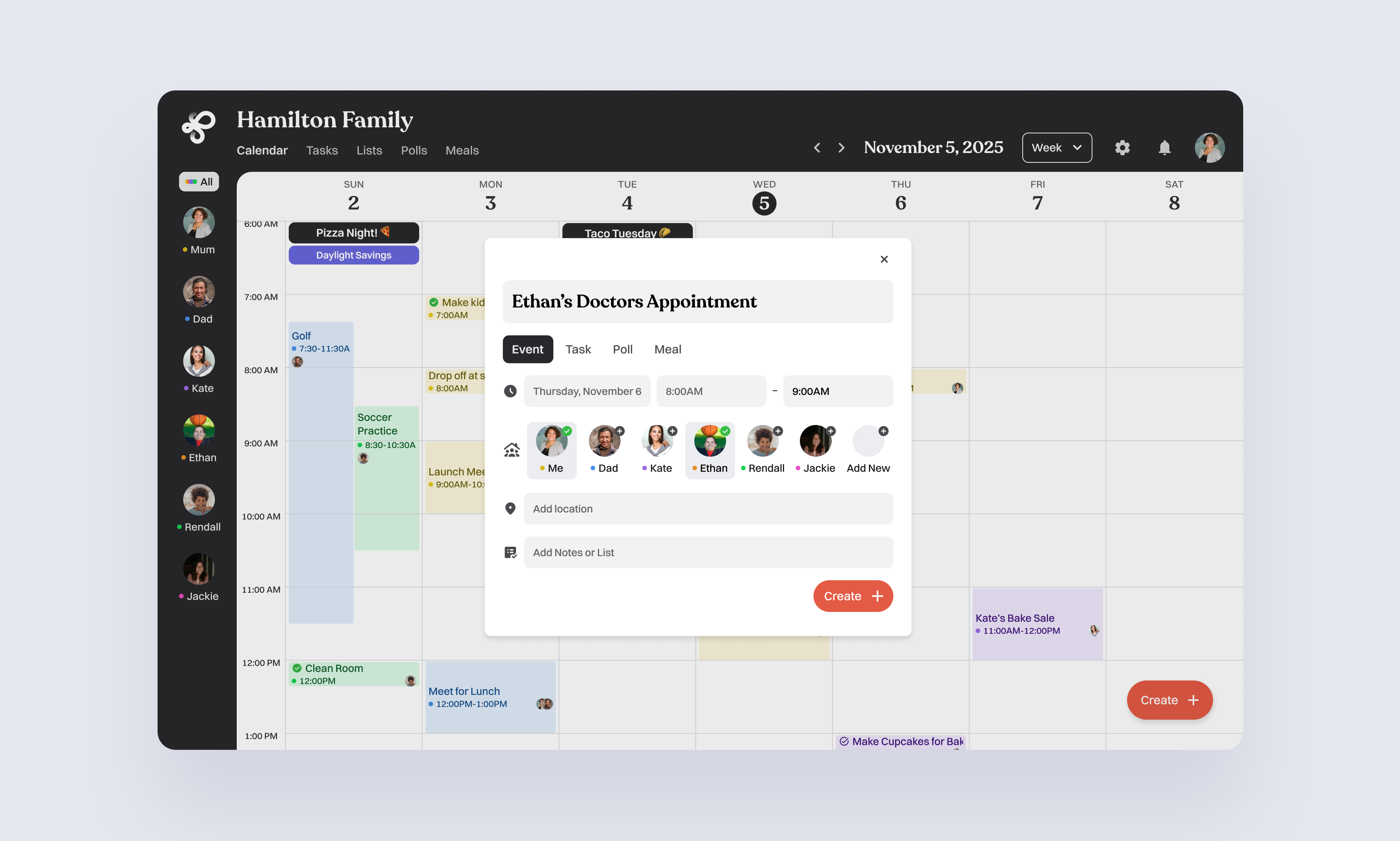
Adding an event as a parent
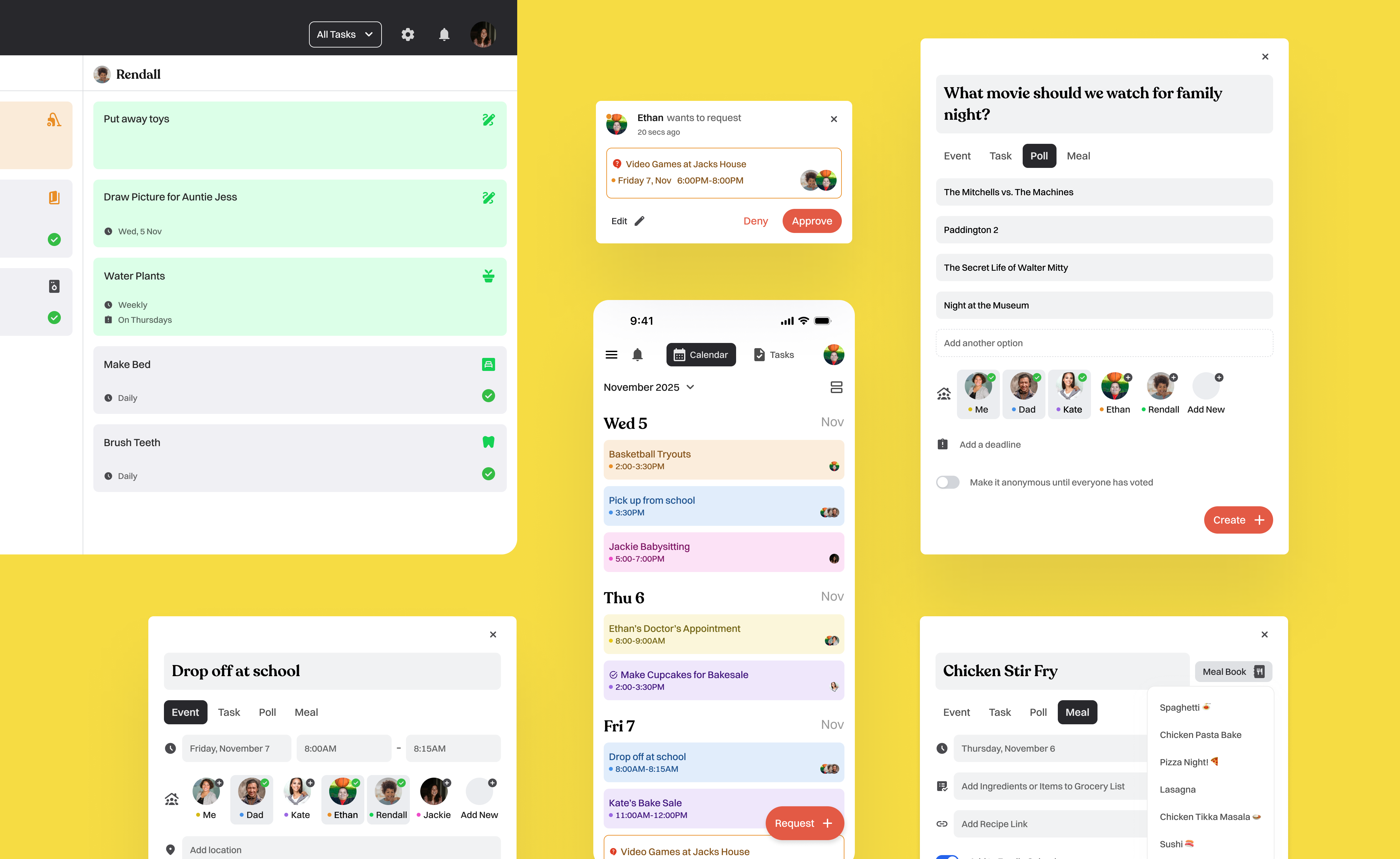
Parents can quickly add events, choose who they’re for and keep everyone’s schedules in sync.
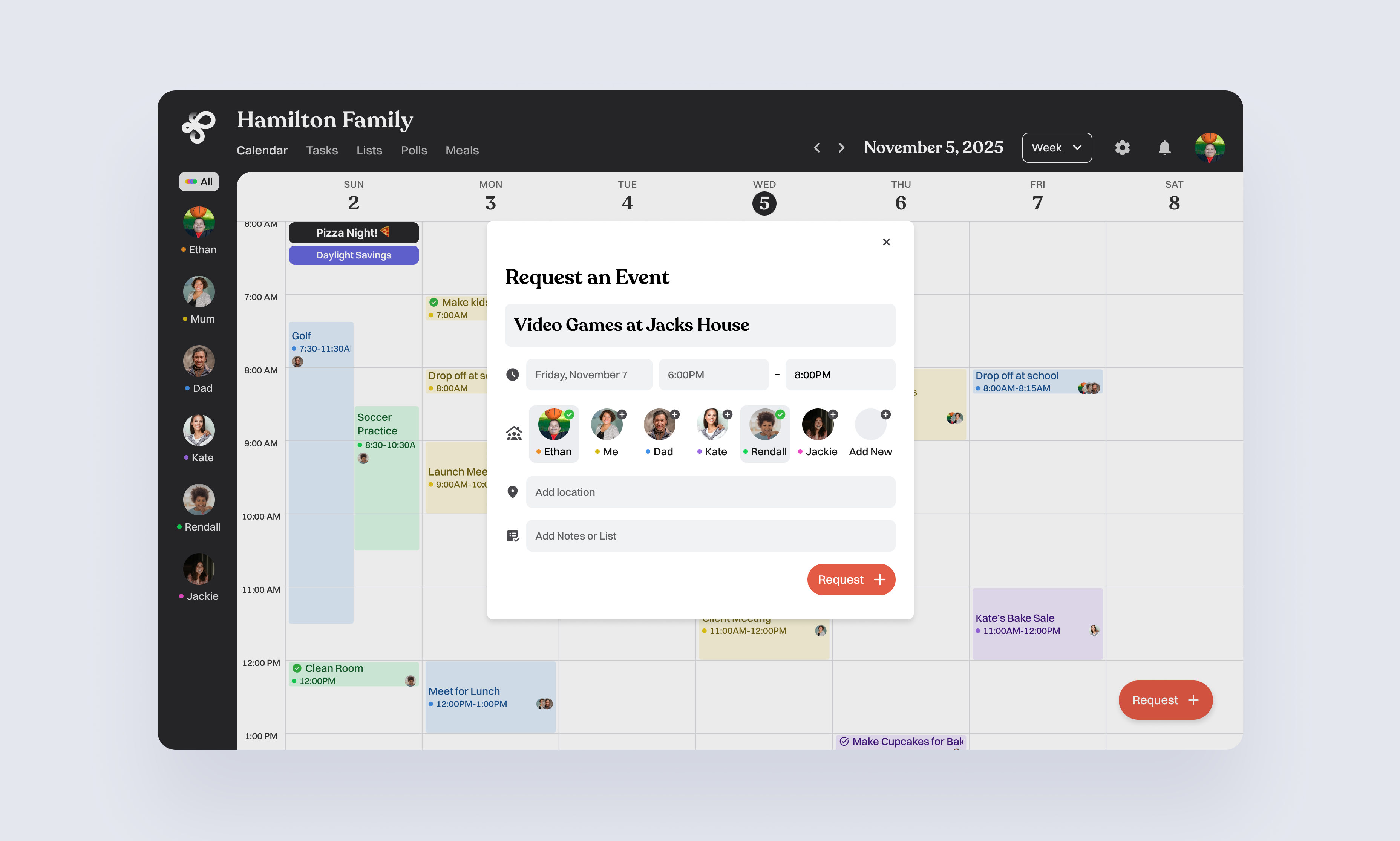
Requesting an event as a junior member
Kids can suggest events like a sleepover, that appear as pending until a parent approves. This gives them independence while keeping parents in control of the final schedule.

Reviewing and Approving
Parents receive a notification to review any event a child requests. They can approve, edit, or decline it, keeping the calendar organized and balanced.
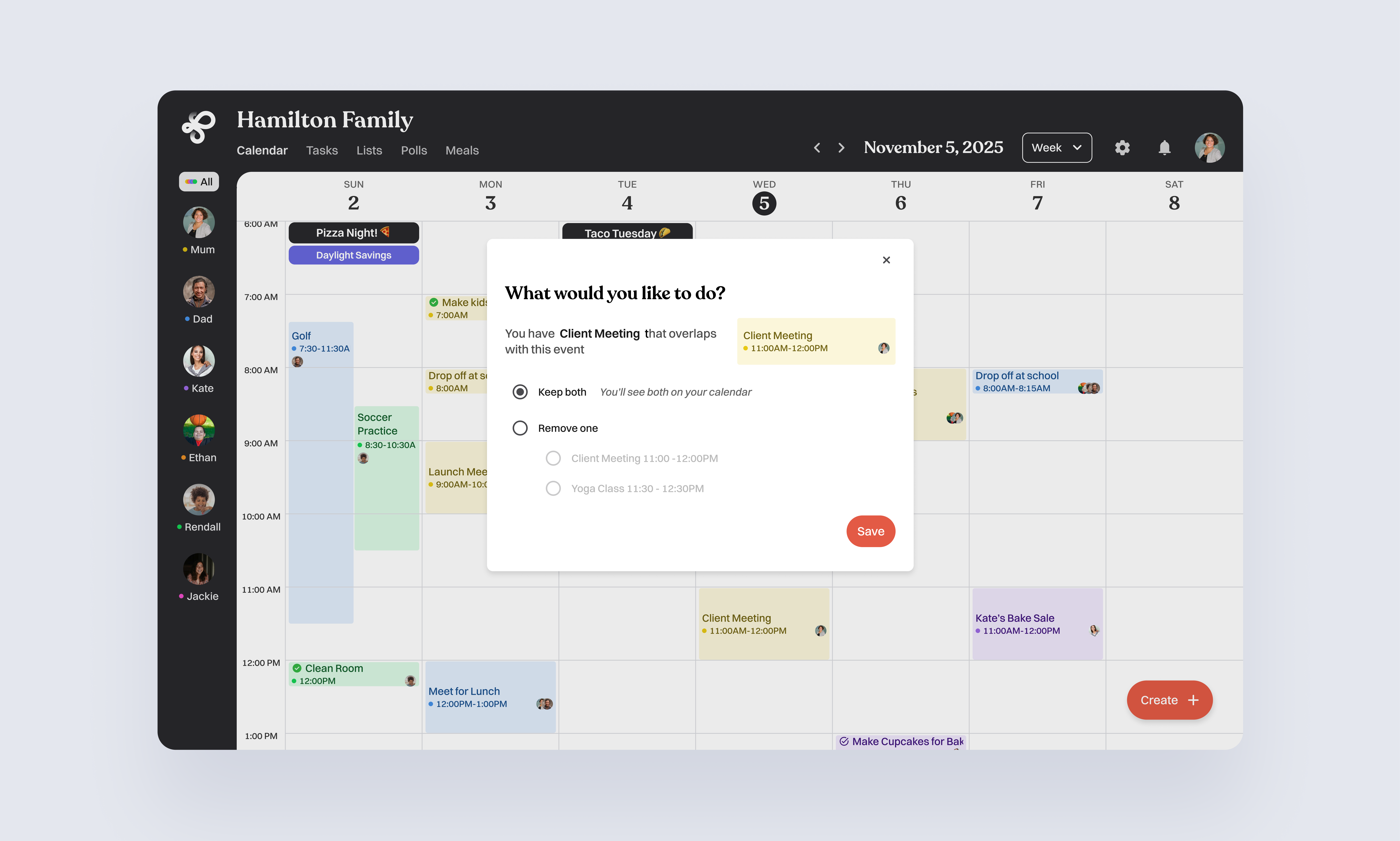
Overlapping Events & Deleting
When two events overlap, the system flags the conflict and offers clear options. Parents can choose to keep both, adjust the time, or remove one to keep the schedule conflict free.
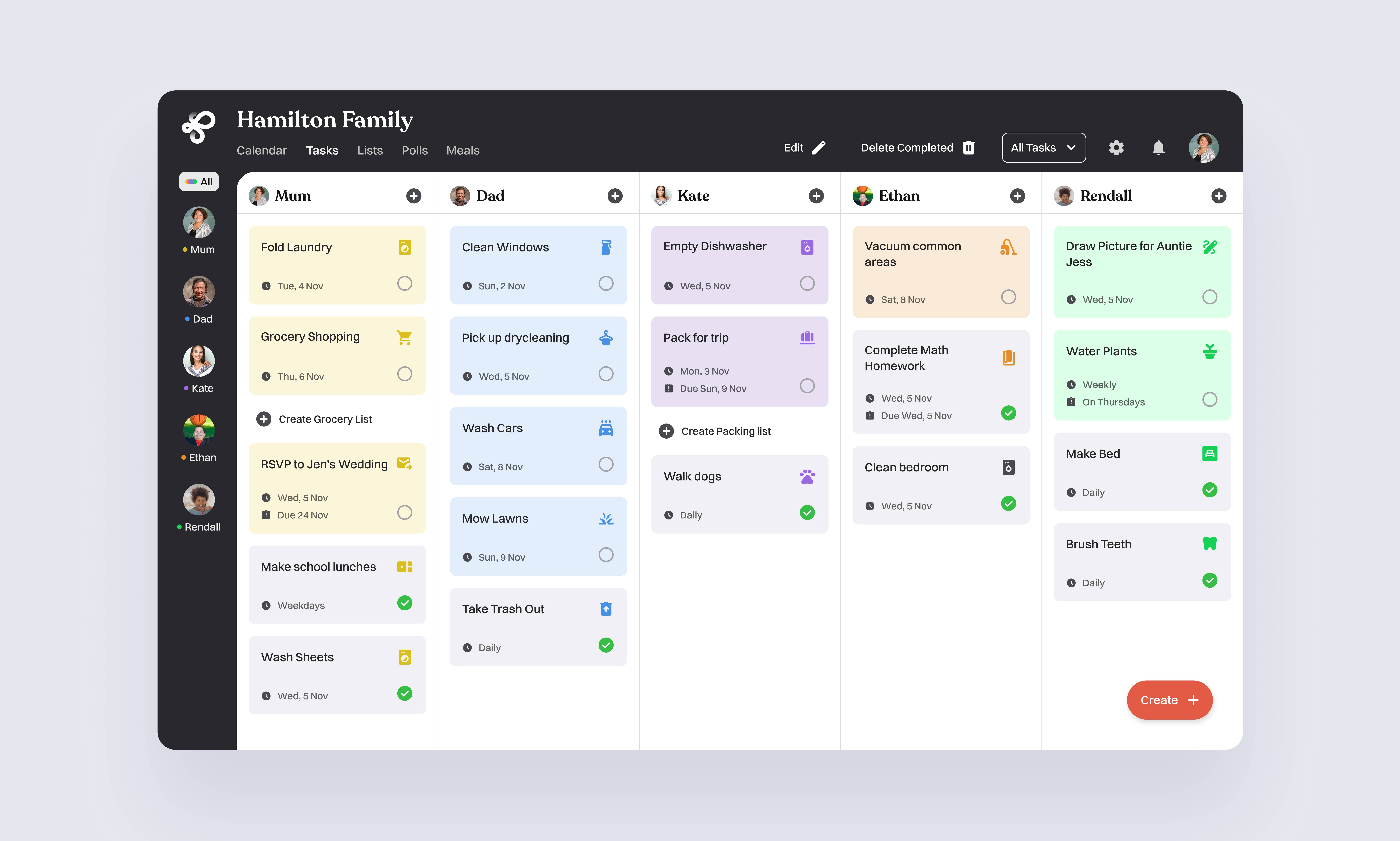
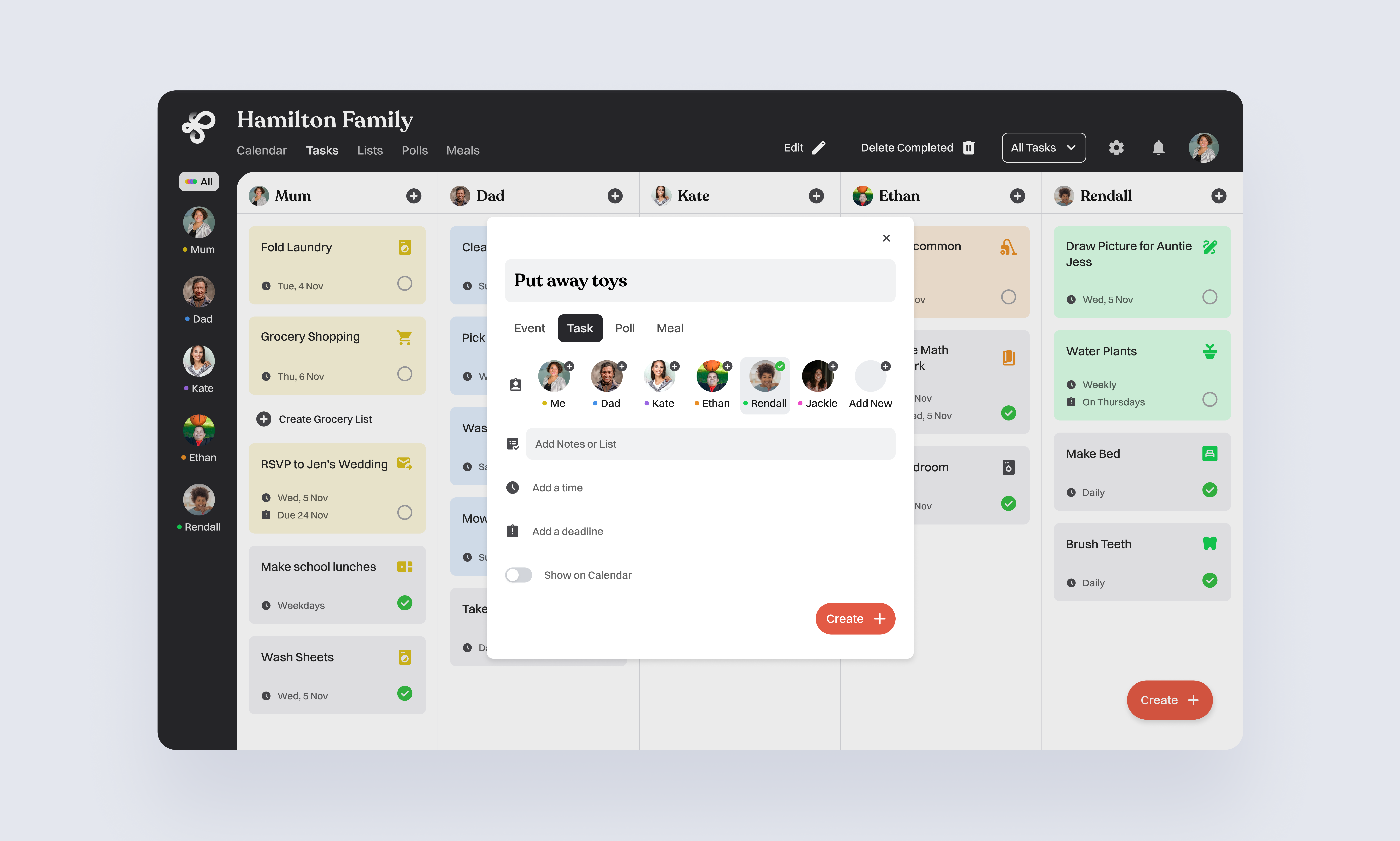
Creating & checking off tasks as a parent
Parents can create, assign, and check off tasks for the whole family. They can track which items are complete, and keep everyone accountable.

Creating a Task as a member
Members (like teenagers) can create and check off their own tasks, keeping track of school, sports, and social plans. They can view family tasks but can’t assign or create tasks for others.
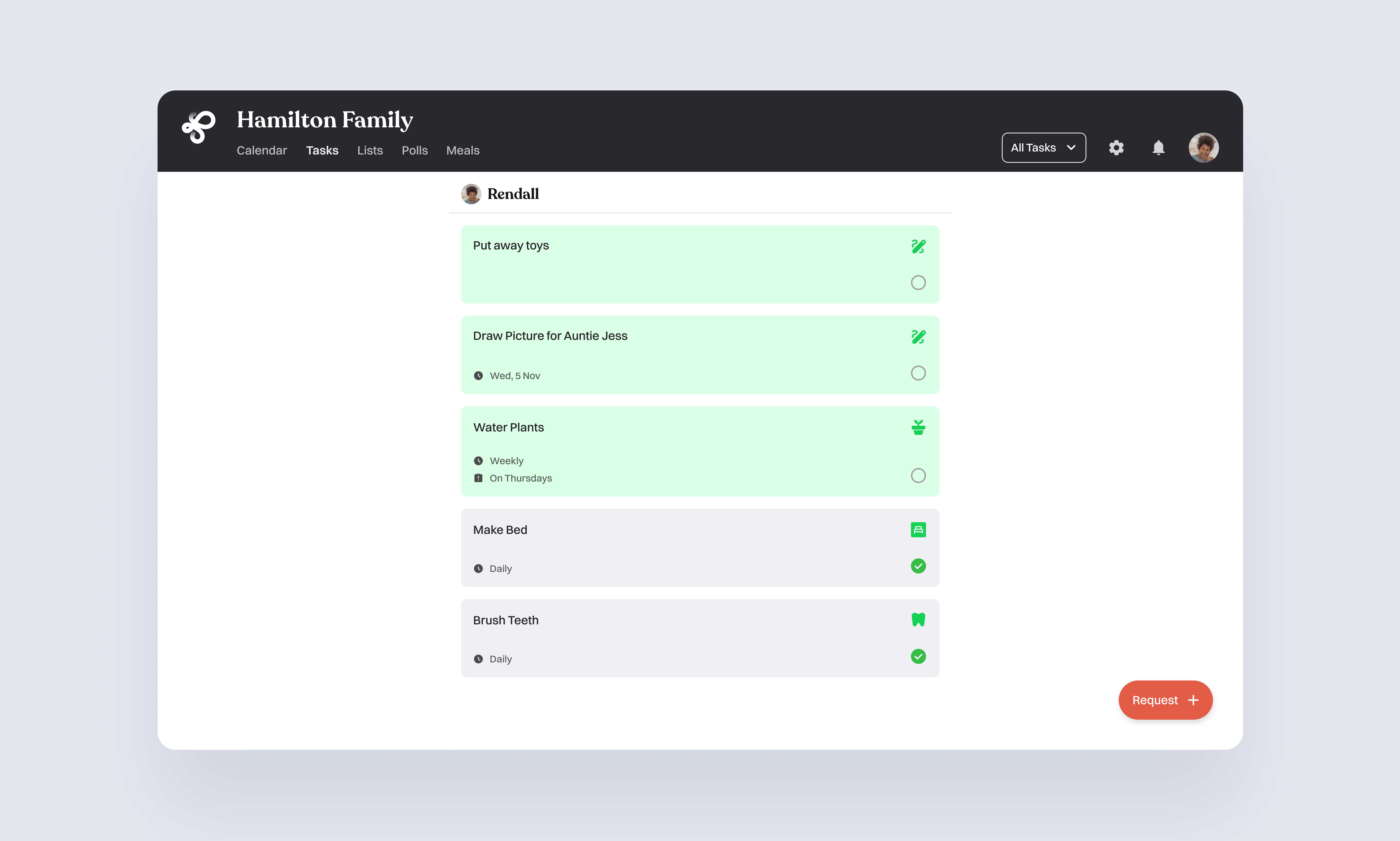
Check off tasks as a junior member
Younger kids have a simple view. They only see their own tasks and can check them off as they’re completed. This keeps things easy and motivating, helping them build responsibility without distractions.
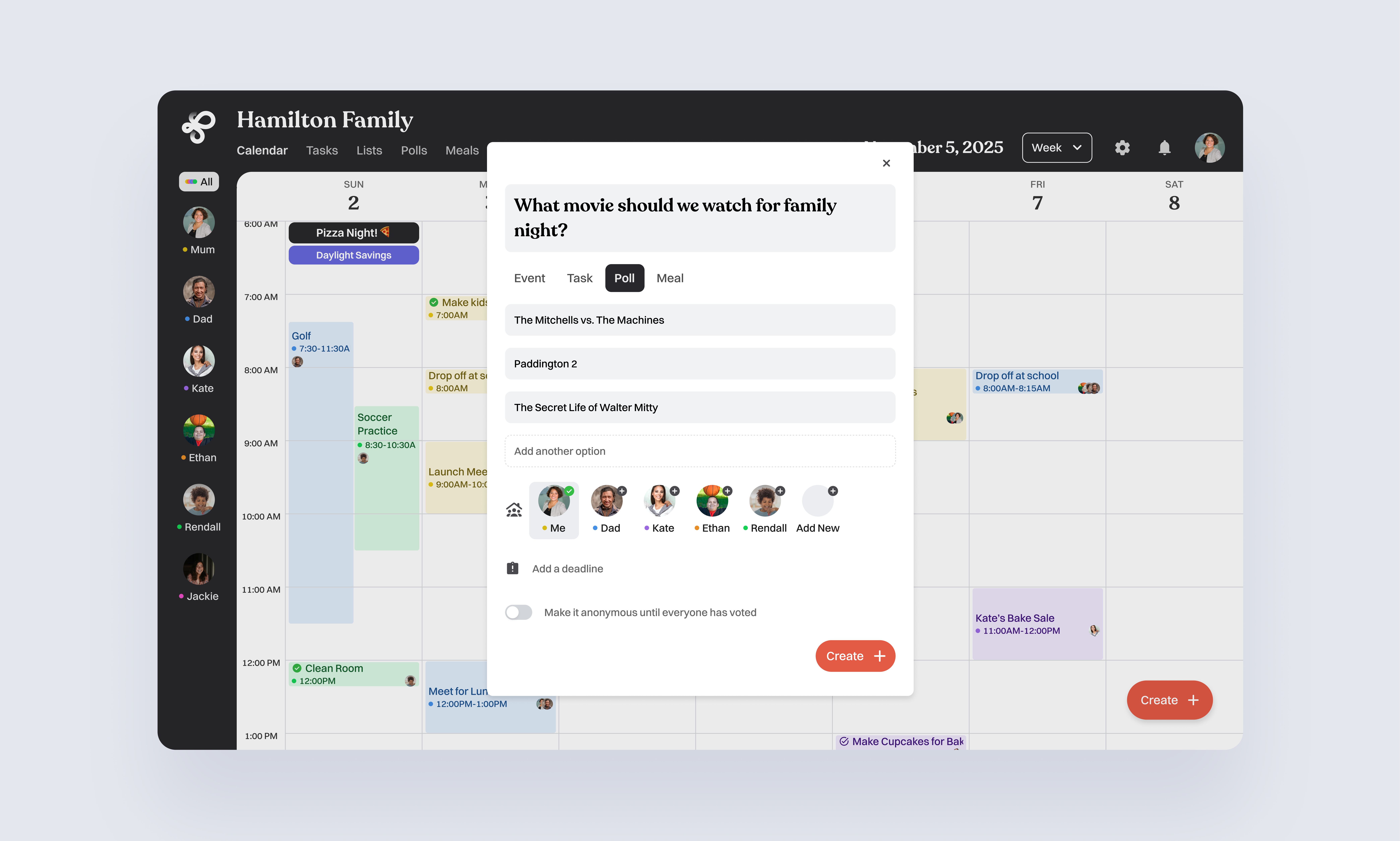
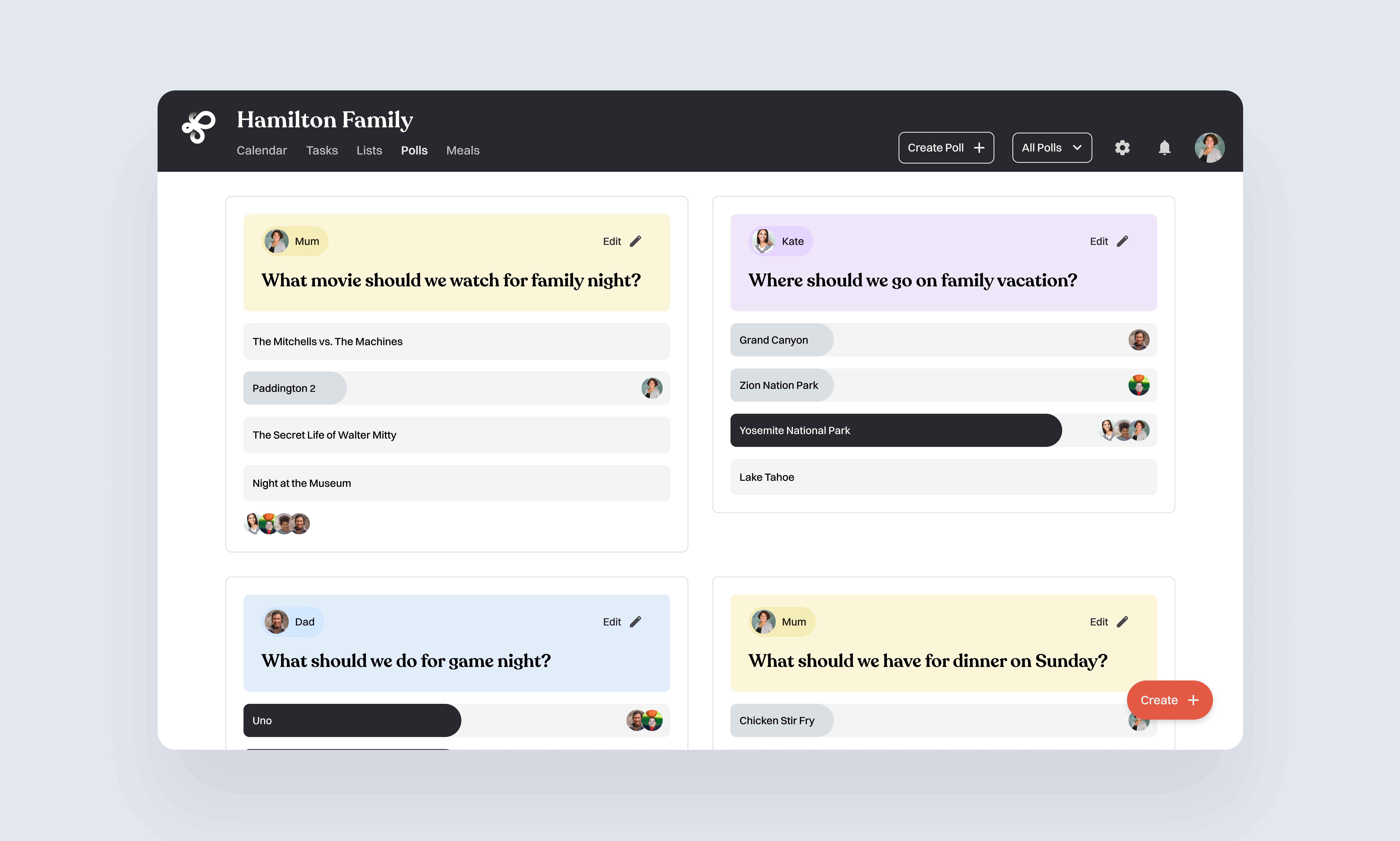
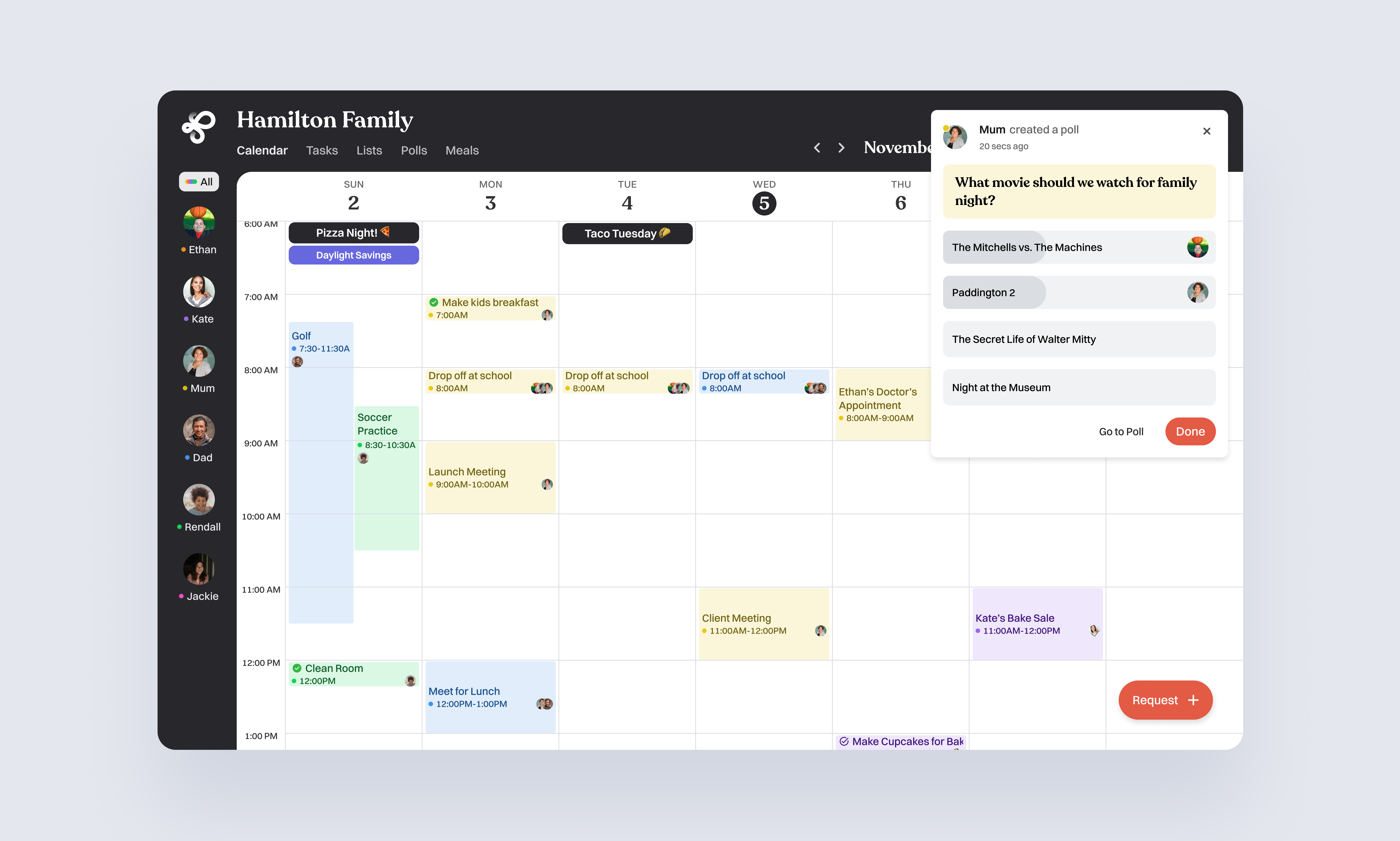
Creating Polls & Voting on Polls
Anyone in the family, parents or members can create fun polls to get everyone’s opinion. You can vote on what to do for game night, where to go on the weekend, or what’s for dinner. Polls make family decisions quick, playful, and fair.
As a family member, you’ll get a notification whenever a new poll has been created that you’ve been invited to vote on. You can also head to the Polls page any time. Cast your vote, see what others choose, and help make family decisions together.
What I wish I had time for
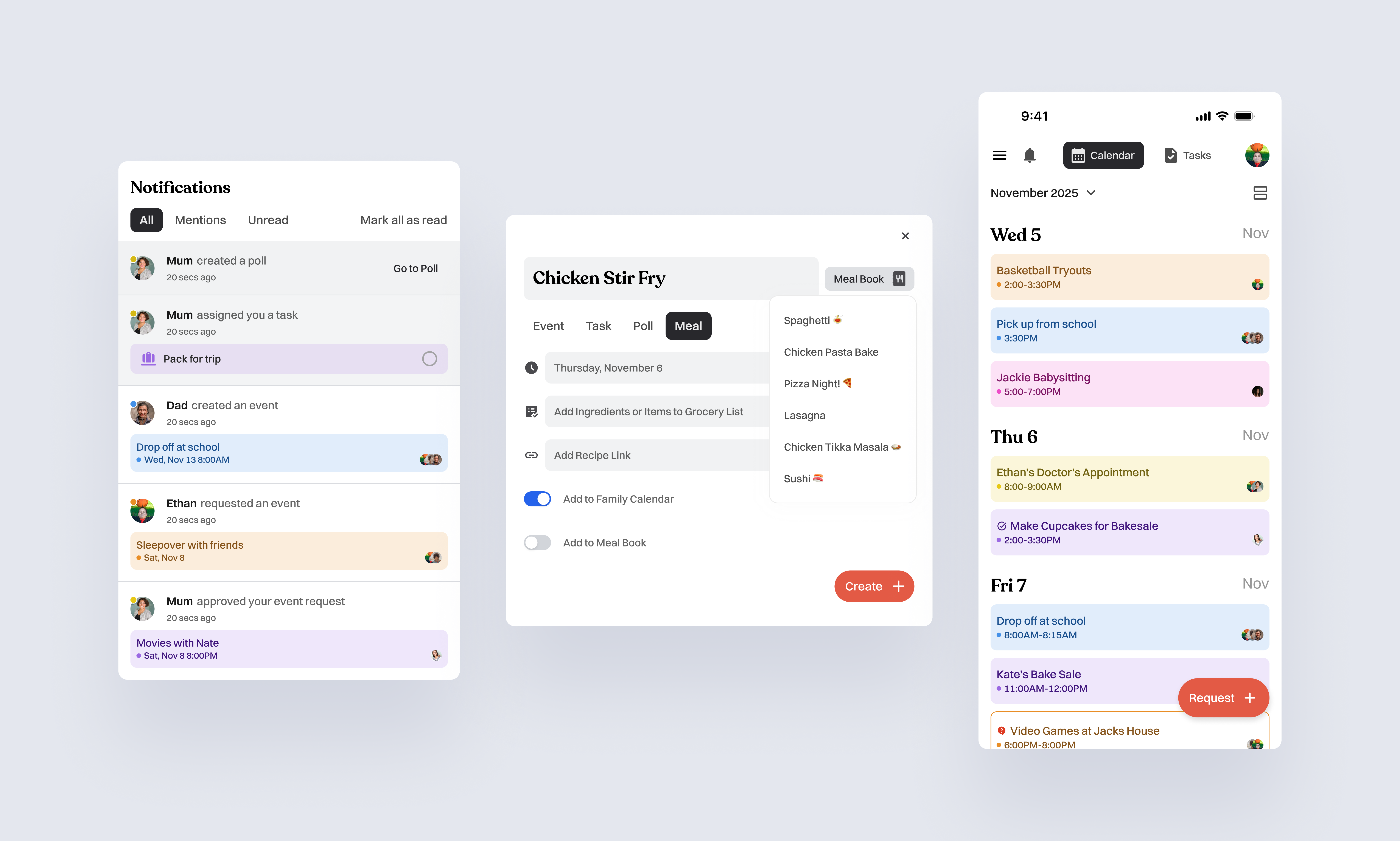
Notifications & Communication Layer
System for handling event approvals, reminders, and follow ups in case an initial notification is missed. Unified inbox for all activity including approvals, comments, suggestions, and conflicts.
Shared lists
Designing shared grocery lists that support role based item assignment (e.g., Parents vs. Kids). Smarter item suggestions based on who adds items most often. Exploring meal planning workflows and adding meals directly to the weekly schedule. Intelligent meal recommendations based on the existing grocery list.
Advanced calendar interactions
Day, week, month, and year views. Drag and drop interactions for shifting events or resolving conflicts. Visualizing overlapping schedules for multi member households.
Mobile & Tablet
Deeper exploration of responsive layouts, with special attention to Junior Member experiences on mobile and tablet. Optimizing tap targets, navigation patterns, and simplified task/event entry flows for younger users.
Voice Interaction
Hand free actions such as: “When does Rendall have soccer practice?” “Add ‘walk the dogs’ to Kate’s tasks.” Voice shortcuts for recurring actions, approvals, or quick event entry.
Conclusion
Loop started as a simple idea to make family scheduling feel less chaotic and a little more human. By giving everyone including parents, kids, and relatives a clear role and just the right level of control, Loop helps households stay on the same page without all the back and forth. There’s still so much I’d love to explore, from richer mobile layouts to shared meal planning and voice commands, but this concept already shows how a calmer, more collaborative family routine could look. At its core, Loop is about making life feel a bit easier and helping families move through their week together.
